
The Getting started series
- Knowledge — you are here
- Personality
- Instructions
- Topics
- Testing in the Playground
- Go live
Why start with knowledge?
Your AI Agent is only as good as what it knows. It doesn't automatically know your shipping times, your return policy, or which products you sell — you have to connect it to that information first.
Think of it like onboarding a new colleague: before their first shift you'd hand them your help articles, policies, and product list. In Herodesk, you do this by adding knowledge sources. The agent will only answer from the sources you connect — which is exactly what keeps its answers accurate and on-brand.
Where to find it
Open your AI Agent and go to Knowledge in the left menu (the page is titled "Knowledge and skills").
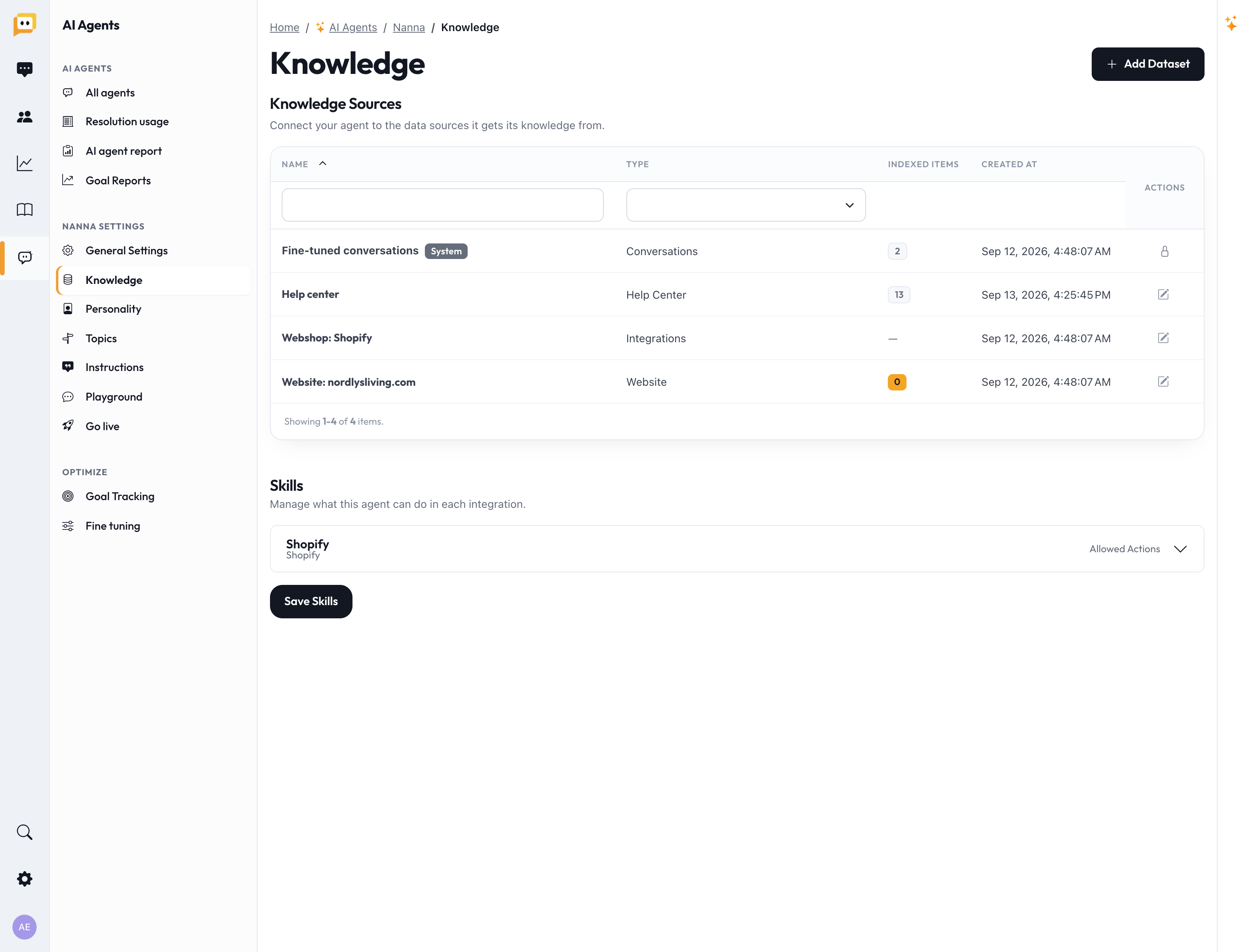
Adding a knowledge source
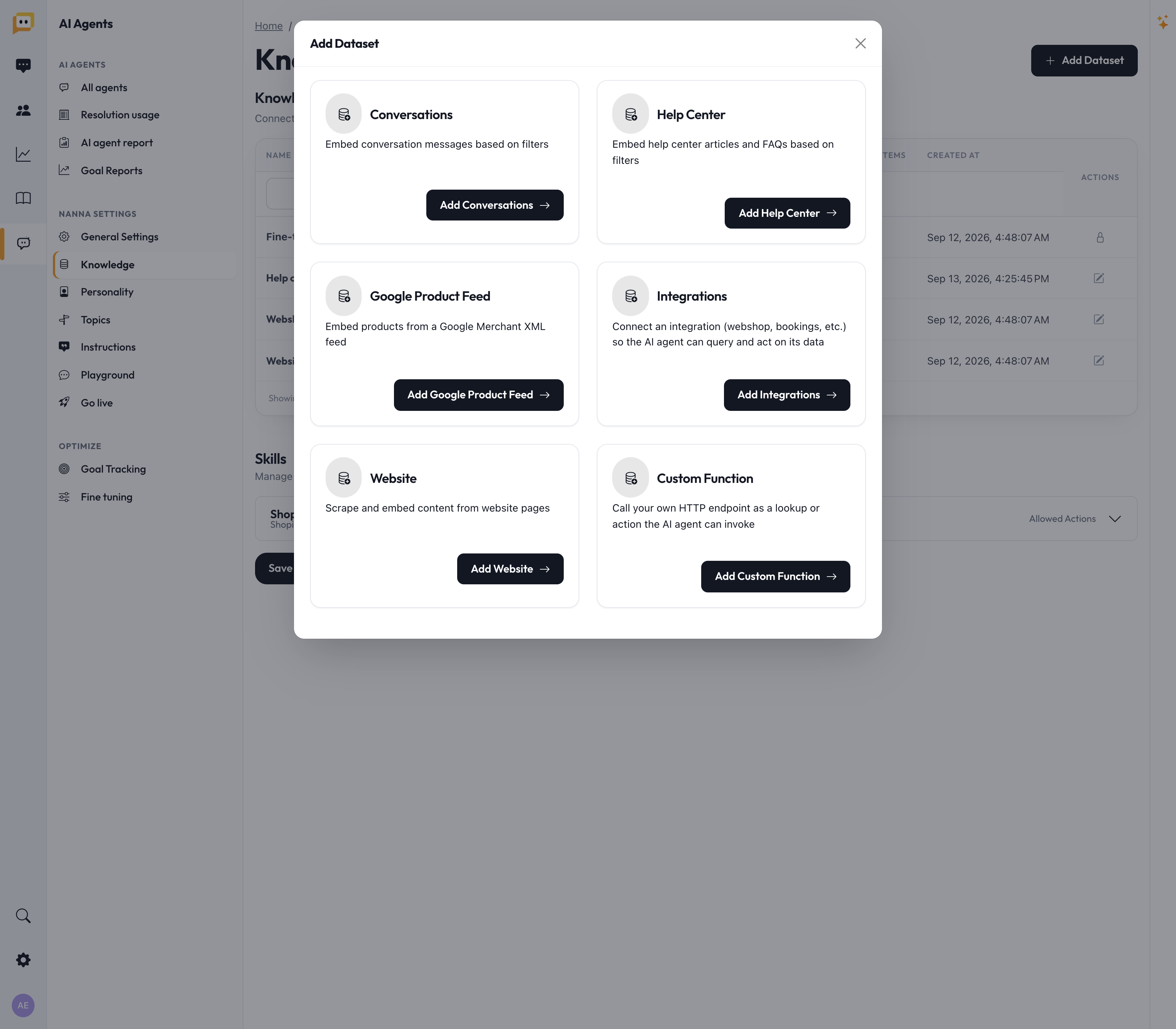
Click Add Dataset and pick the type of source you want to connect:
| Source | What it does | Great for |
|---|---|---|
| 📚 Help Center | Learns from your help articles and FAQs. | The #1 place to start — if a customer could find it on your help site, the agent can too. |
| 🌐 Website | Reads and learns from your public website pages. | Policies, about pages, and info that lives on your site but not in help articles. |
| 🛒 Google Product Feed | Learns your products from a Google Merchant feed. | Answering questions about specific products, prices, and availability. |
| 🔌 Integrations | Connects a webshop, booking, or CRM system so the agent can look up live data. | Real-time order status, bookings, and customer data — not just static text. |
| 💬 Conversations | Learns from how your team has answered past tickets. | Teaching the agent your real answers to real questions. |
| ⚙️ Custom Function | Calls your own system to fetch an answer. | Advanced/technical setups (ask us if you need this). |
You can add several sources — most teams combine Help Center + Website + a webshop integration.
A few source-specific tips
- Help Center & Website let you narrow down what's included (specific folders, or specific URL paths). Leave the filters empty to include everything.
- Google Product Feed has an option to share expected restock dates — turn this on if you want the agent to tell customers when a sold-out item is coming back. (Quantities and purchase prices are never shared.)
- Conversations can be filtered by inbox, channel, tag, or age, so you only teach the agent from the tickets you trust.
Watch it learn: "Indexed items"
After you add a source, Herodesk reads through it and indexes the content so the agent can search it. Each source shows an Indexed items count.
- A number (e.g. "142 indexed") means it's ready. ✅
- "Nothing is indexed yet" means indexing is still running or the source is empty. A progress bar in the menu shows how many items are left.
Large websites and product feeds can take a little while — that's normal.
Skills: what the agent is allowed to do
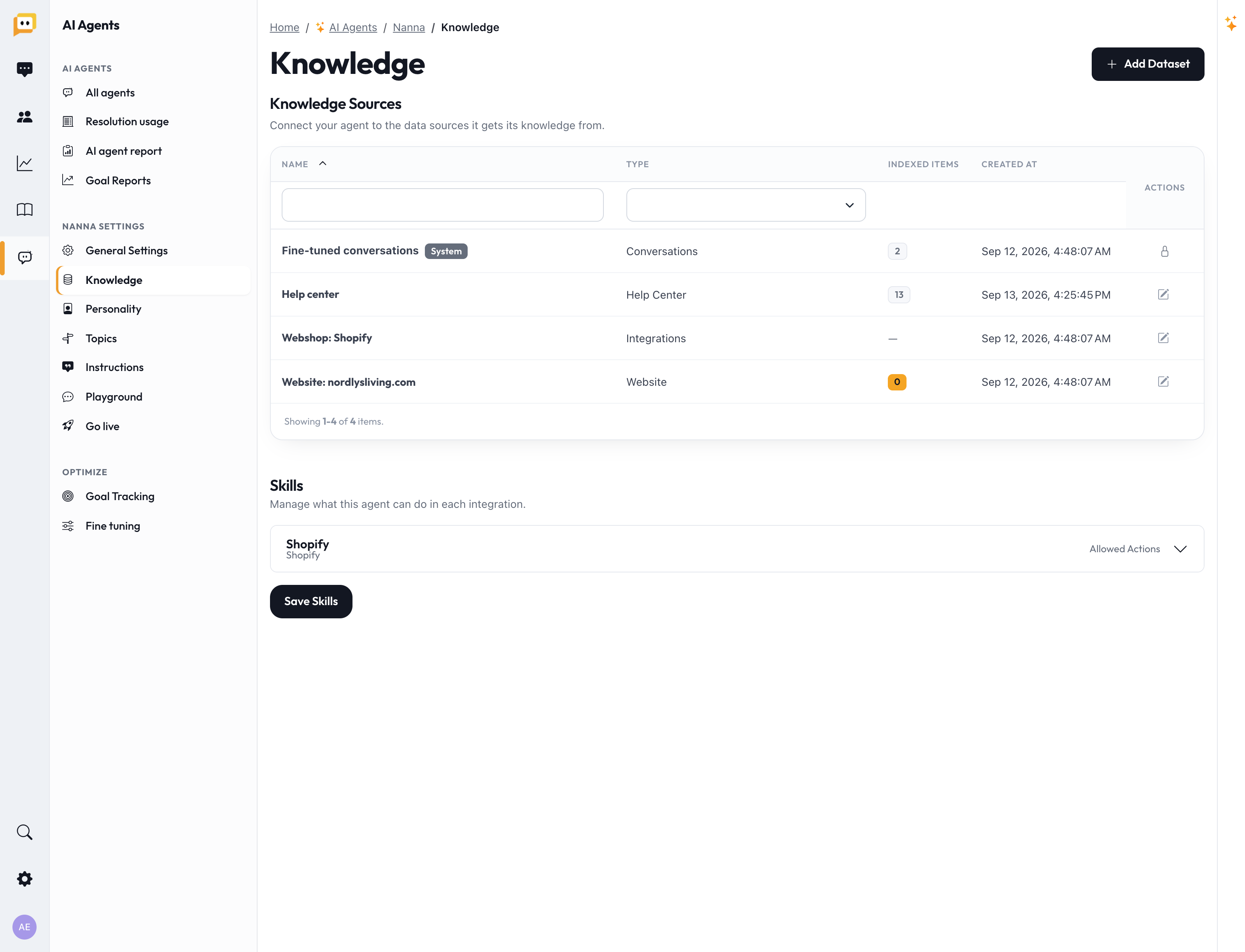
If you connect an integration (like a webshop), a Skills section appears on the same page. Knowledge is about what the agent knows; skills are about what it's allowed to do — for example, look up an order, or cancel one.
Each integration has Allowed actions you can switch on or off. Start conservative: enable read-only lookups (like "check order status") before you enable actions that change things (like "cancel order"). Click Save skills when you're done.
The golden rule: keep it accurate
An AI Agent repeats your information faster and more confidently than any human — including your mistakes. Before moving on, do a quick audit:
- ❌ Outdated shipping rates or delivery times
- ❌ Old return or warranty policies
- ❌ Discontinued products still described as available
- ❌ Two pages that give different answers to the same question
If two of your own articles disagree, the agent has no way to know which is right. Fixing contradictions does more for answer quality than almost anything else.
Before you move on
- Connected your Help Center (or added FAQs/articles if you had none).
- Added your website and/or product feed if relevant.
- Connected a webshop/integration if you want live order lookups.
- Confirmed sources show an Indexed items count.
- Reviewed your content for outdated info and contradictions.
Next up: Getting started (2/6): Personality — give your agent a voice that sounds like your brand.
Questions? Reach us at support@herodesk.com. 🙌