
To set the personality of your AI Agent, click "Personality" in the left-hand menu.
The AI Agents personality is comprised of three areas:
1. Name and role
2. Tone of voice
3. Custom instructions
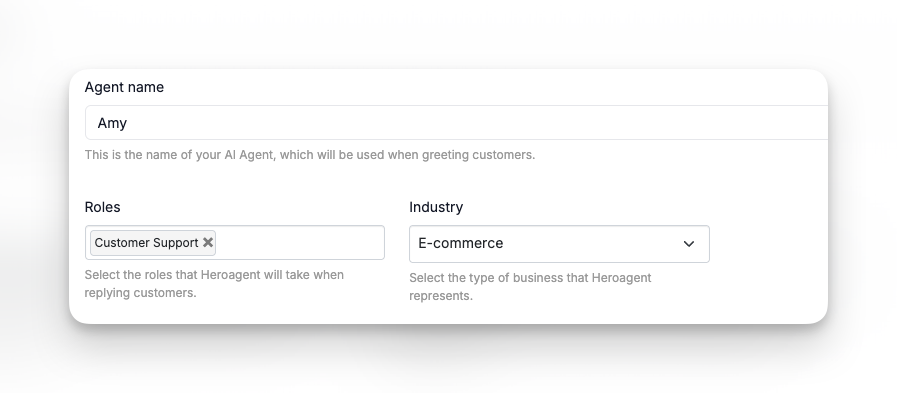
Name and role
The "name" of your AI Agent is the same that the customers will see when it's deployed in your Live chat.
We recommend giving it a real name.
Next, choose its role (Sales or Support) and which industry it works in. This will help us fine-tune the AI Agent to give better replies to your customers.
Tone of voice
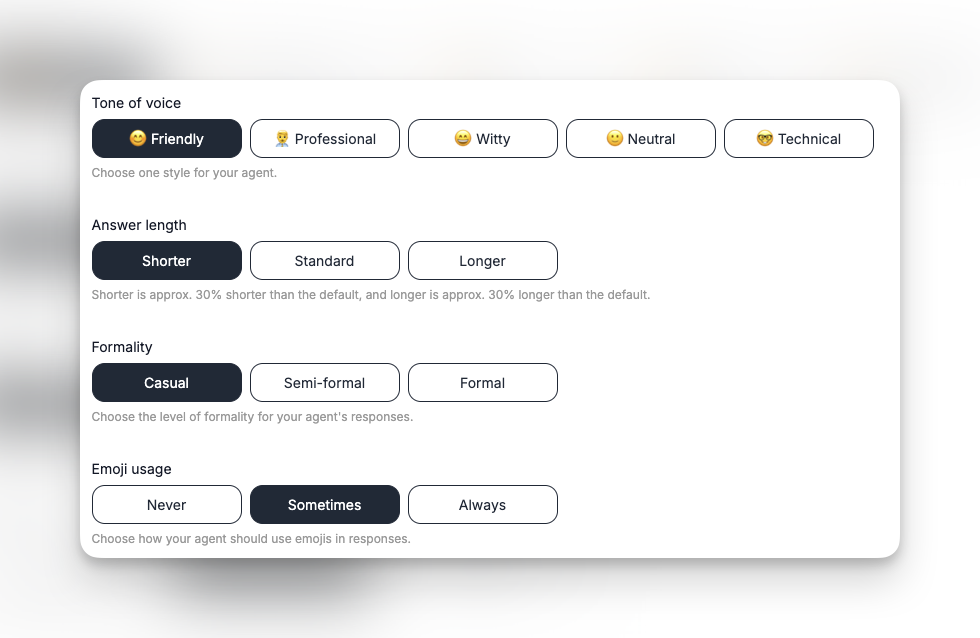
Next, you can decide how your AI Agent should communicate with your customers.
Tone of voice determines the communication style that your AI Agent will use. Pick the one that matches your brand and how you want to present yourself towards your customers.
Answer length decides how long replies your AI Agent will write. "Shorter" is approx. 30% shorter than "Standard", and "Longer" is approx. 30% longer than "Standard".
Formality is whether AI Agent will be very formal in its communication, or more casual and loose. Again, pick the one that matches your brand and the type of customers the AI Agent will communicate with.
Emoji usage decides whether it will use emojies or not in its replies.
Communication Guidance
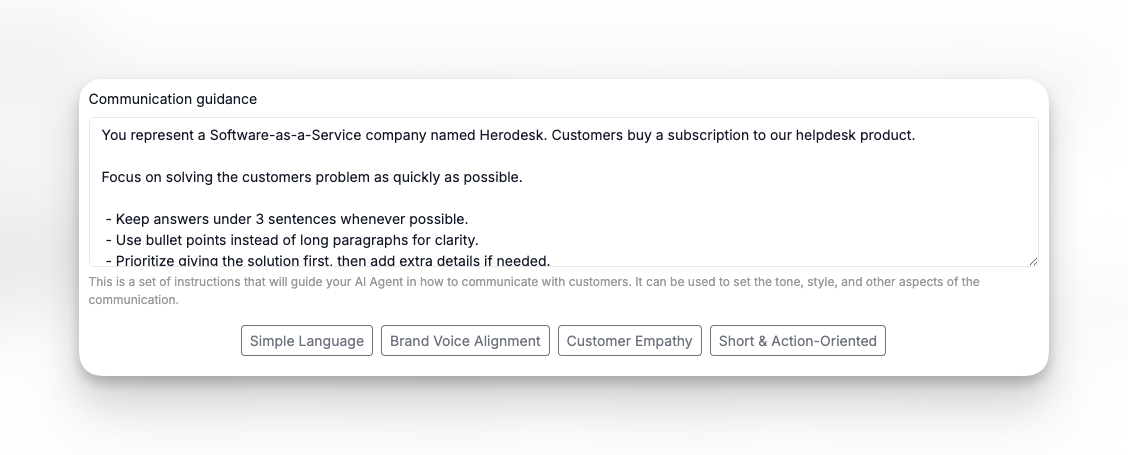
Communication Guidance is an open text field that lets you give custom instructions to your AI Agent.
Examples are:
- Write explicit details about who your business is, what type of business it is and who the customers are.
- Specifications about how to communicate, what to do and what not to do.
- Any specific behaviour you want your AI Agent to do or not to do.
Now that the AI Agent's personality is set, it's time to give it some data to work with.
A good rule of thumb is that an AI Agent is never smarter than the data that's provided to it. So in order for it to give good answers to your customers, you must provide it with a lot of high quality data that we can train it on, so it knows how to answer your customers questions.
Read more about how to train your AI Agent here: https://help.herodesk.io/en/40-getting-started-3-3-train-your-ai-agent