
This guide helps you create a new Herodesk AI Agent.
You should create one AI agent per brand or different set of knowledge that you have. For example, if you have one webshop in multiple language, you should use the same AI Agent in all languages, as it will be trained on the same data and can handle different languages automatically.
If you have two different stores, with two different sets of products, terms, etc., you should create an AI Agent for each, as they will be trained on different sets of data.
Herodesk AI agents can help you in three different ways:
Suggested replies
When you open a conversation with a customer, your agent will have prepared a suggested reply that you can send to the customer.
Send it as it is, or modify it before sending it.
AI Chat bot
An AI agent can be deployed in the Live chat on your website and autonomously answer customer questions, working as an AI Chat bot.
Virtual assistant
Inside Herodesk, you can chat with the AI Agent to ask questions about everything it knows, to help you reply to your customers. Fx details about similar questions, your products, content from your FAQ/articles, etc.
Regardless of how you want to deploy your AI agent, it is created, set up and configured in the same way.
Here's how to do it.
Set up your first AI agent
Click on AI Agents in the menu to the left, and click "Create AI Agent".
Give it a name. This name will be displayed when the agent replies to customers.
After this, it's time to configure your new AI Agent.
Deployment
The first thing to do is decide where you want your AI agent to help. Therefore, you must deploy your AI agent to the inboxes and live chats where you want it.
The AI agent will begin to write suggested replies for incoming customer questions in all inboxes you deploy it to.
The AI agent will work as an AI Chat bot in all the live chats that you deploy it to.
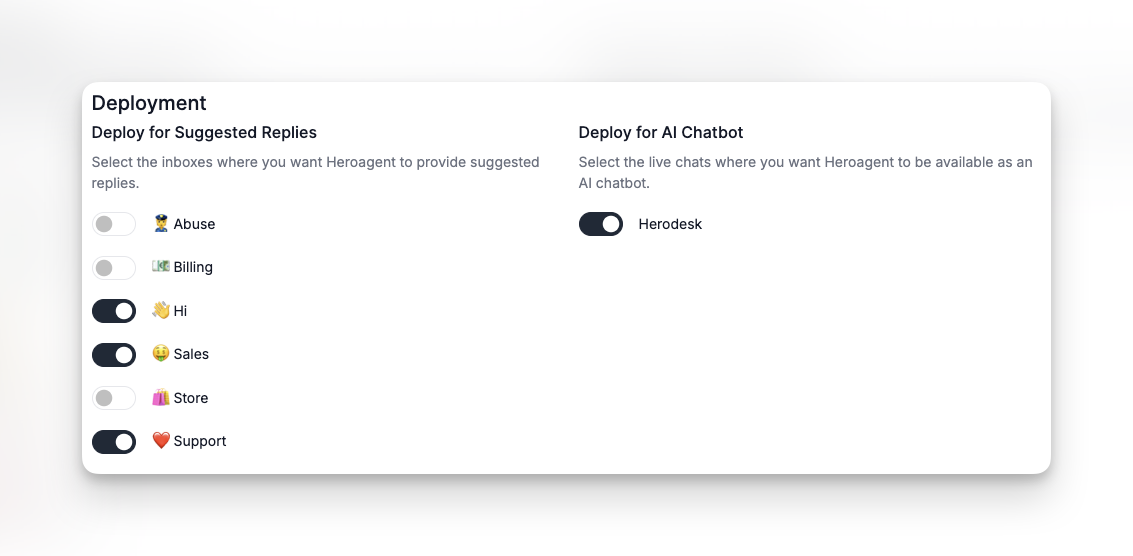
Please note: You can only deploy one AI agent per inbox and per live chat.
Escalation & Handoff rules
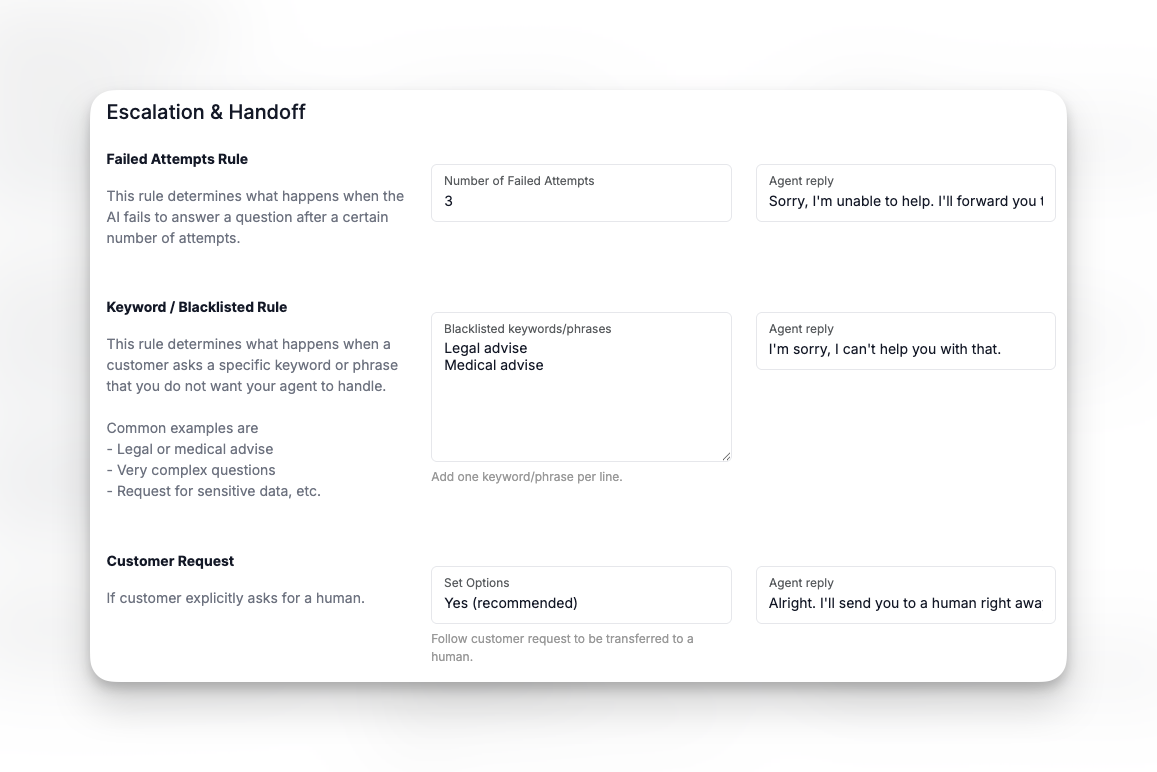
When your AI Agent is deployed to one or more live chats, you can define its escalation and handoff rules. These rules determine when a conversation with a customer should be escalated to a human agent.
The next thing to do is configure your AI Agent's personality. You can read about how to do that here: https://help.herodesk.io/en/39-getting-started-2-3-set-ai-agent-s-personality