
To set up a new Google Product Feed dataset for your Herodesk AI Agent:
- Click on AI Agents in the left-hand menu
- Choose your AI Agent
- Click on "Datasets" on the left-hand menu
- Click "Add Dataset" on the top right
- Choose "Website"
Your AI Agent scrapes the content of your website and learn everything it says. By doing this, it can relay that information in suggested replies and/or live chats to help answer customer questions, based on the information you have on your website.
Configure your Website (scrape) dataset
Training your AI Agent on data from your website.
You must fill in the following details:
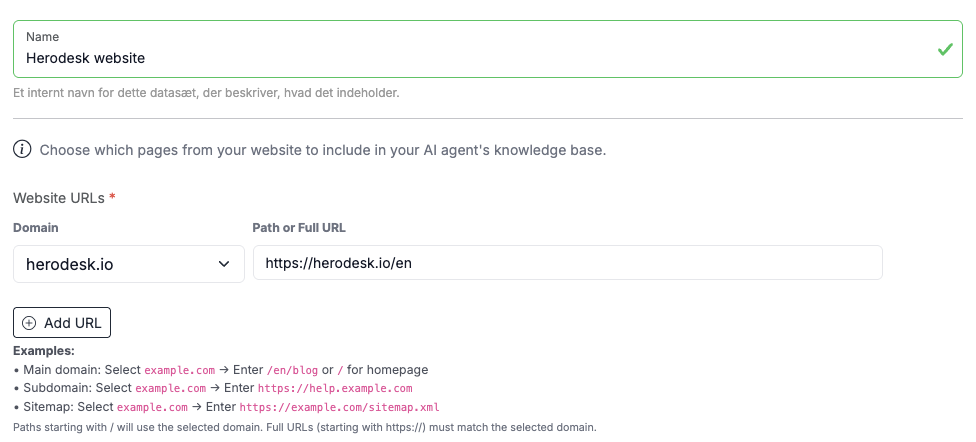
Name: An internal name describing this dataset. This is usually your domain name or something else that's easily recognisable. It is for internal use only.
Website URLs: You can add one or more URLs that will be scraped. You can only select domain names that are already part of the Email Channels you've added to your Herodesk. This is for security reasons. For each URL, enter the address you want to scrape. It can be a whole domain name, a subdomain or a specific route/page.
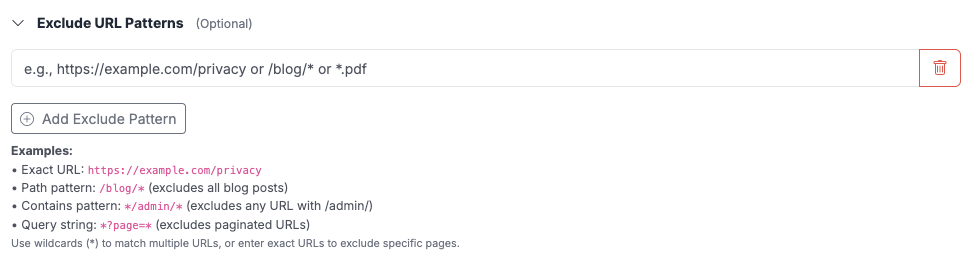
Exclude URLs: If there are one/more URLs you wish to exclude from being scraped, they can be entered in the next field.
Recursive scraping: Finally, decide if you want to enable recursive scraping. If disabled, the AI agent will only scrape and index the exact URL addresses provided above. If enabled, the AI agent will start on each of the provided URL addresses above, scrape it and look for any links on that page that leads to a subpage, and repeat the scrape/index/lookup process from there.

Please note: It is not always desirable to simply "index everything". Sometimes "less is more", and you will get better results from picking the specific pages that contain relevant information to your customers. This could be your terms and conditions, return policy descriptions, product pages (in addition to your Google Product Feed), etc.
When you click "Create Dataset", your AI Agent will begin indexing and training on the URLs provided.
It can be trained at approx. 2 pages per second, so if you have many, it may take some time to be fully updated.