
When you create a rule in Herodesk, you can select the event type: "Send webhook":
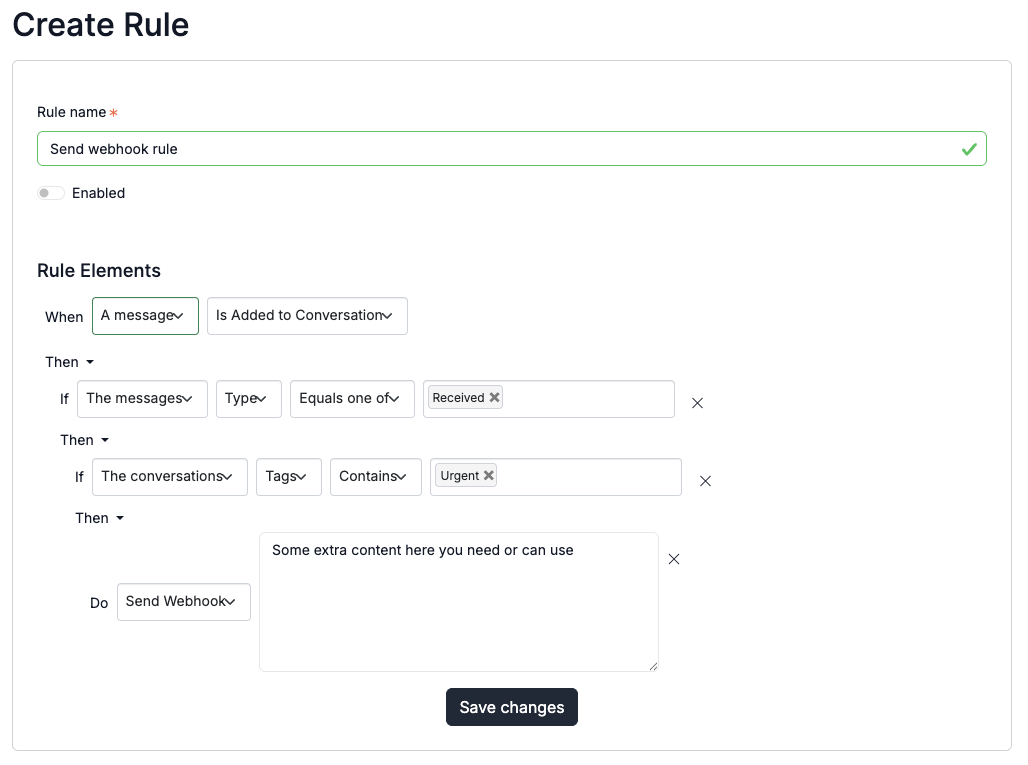
There are thousands of rule and condition combinations that can cause you to want to send a webhook when something happens.
When sending a webhook, you can add an additional payload that will be sent as part of the body.
Payload example
Here is an example of the payload that could be sent:
{
  id: 1,
  payload: "the payload you added in the rule",
  object: {
    type: ... the related object, can be conversation, message or contact,
    data: {
      ... payload of related object
    }
  }
}
Example use cases
Some examples of when this can be usable:
- Track rule triggers
- Trigger local event
- Print label
- Change order status
- Send notification
- ... other?