
To track the real-time status of a customer’s order within the warehouse using PeakWMS, you must first establish a secure connection between Herodesk and PeakWMS.
Part 1: Generate your API Key in PeakWMS
- Navigate to Settings and select Integrations.
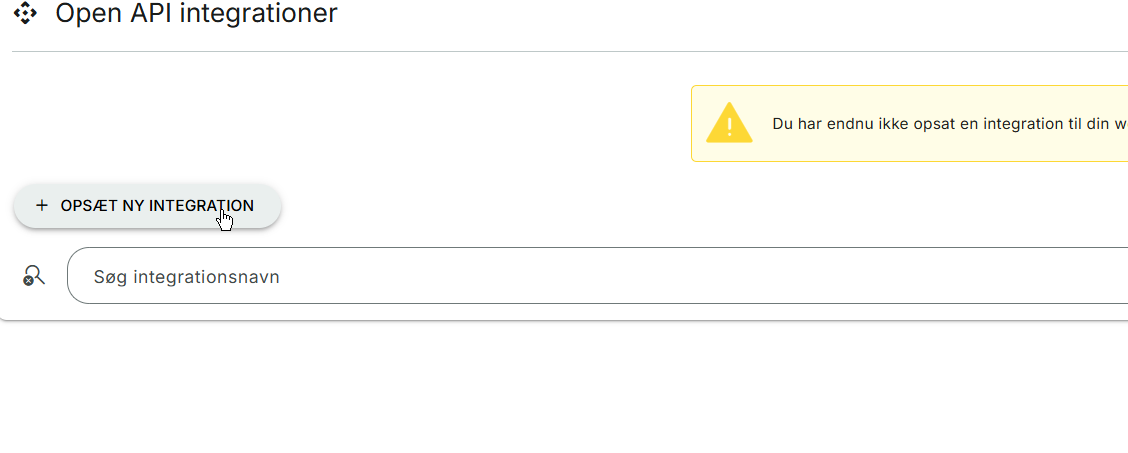
- Go to the Open API Integrations section.
- Click the Set up New Integration button located at the top of the page.
- Name the integration: We recommend naming it "Herodesk." This is the only required field; please leave all other settings at their default values.
- Click Save
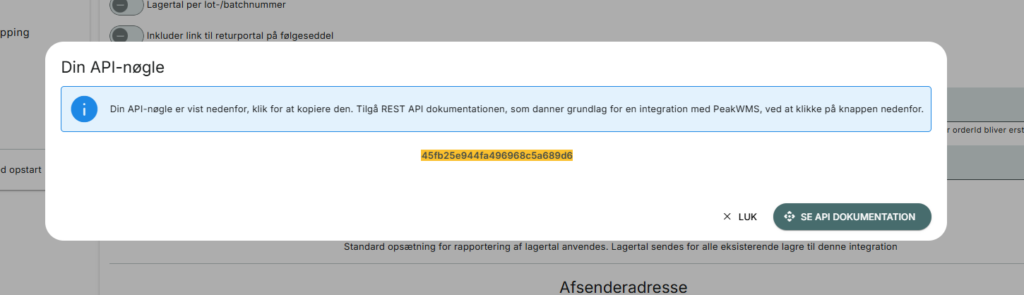
- A window will automatically appear displaying your API Key. Copy this key, as you will need it for the next step.
Part 2: Activate the Integration in Herodesk
- Open your Herodesk dashboard.
- Navigate to the Settings and then Widgets.
- Locate the PeakWMS integration and enter your API Key in the designated field:
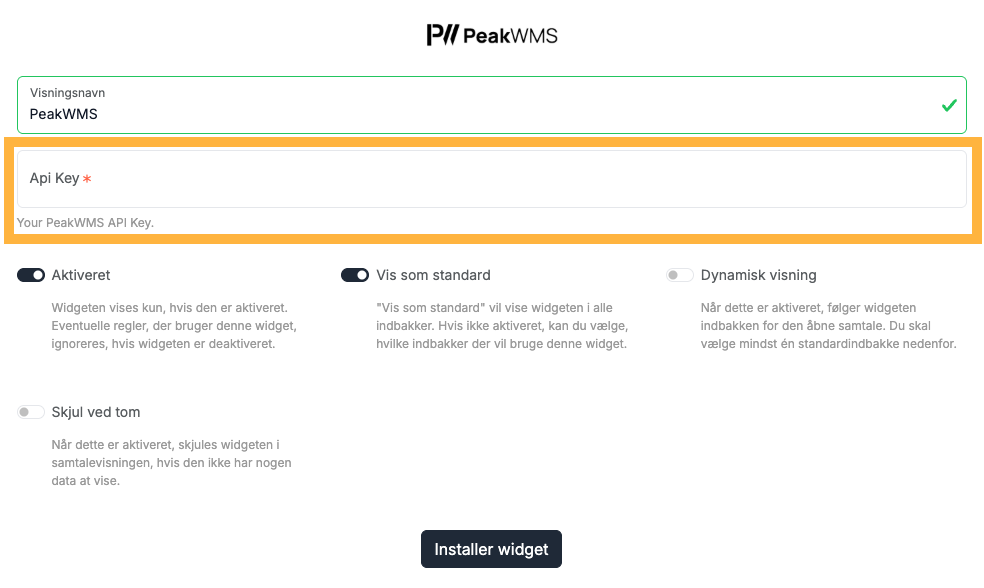
- Once the key is validated, click Install Widget
The PeakWMS widget is now active, and you can view live order details directly within your Herodesk conversations.