
In order to receive emails in Herodesk you need to set up an email forwarder from your Gmail account.
Follow the steps below to set up the forwarder
1. Start by logging in to your Google account via webmail
2. Open "See all settings" in the top right corner
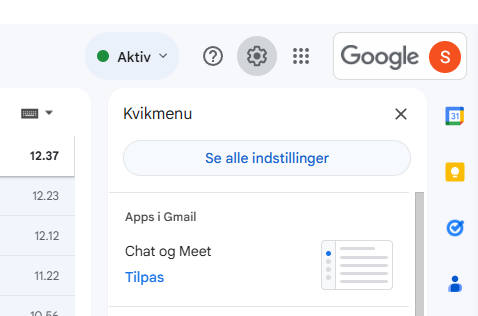
3. Click on the "Forwarding and POP/IMAP" tab

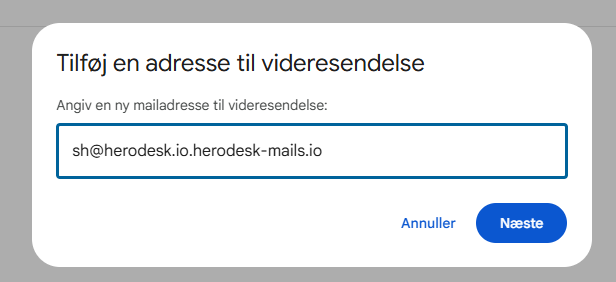
4. Click on "Add a forwarding address". Add the email address you want to forward to. You can find this email address inside Herodesk, or simply use your regular email address followed by: -herodesk-mails.io
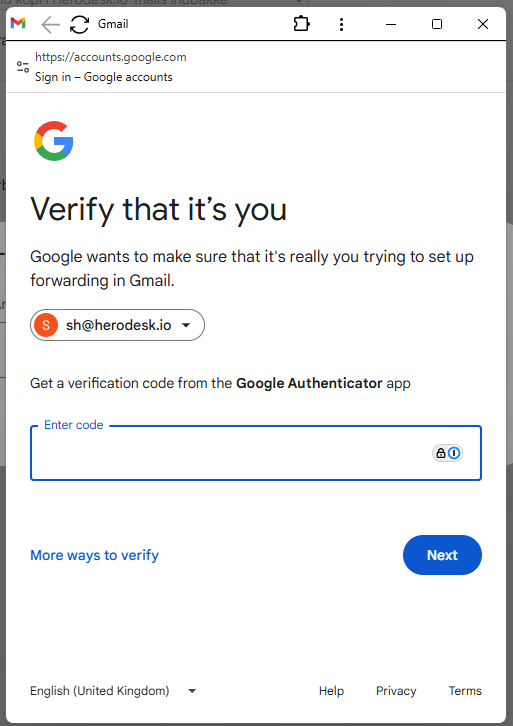
5. Click Next – a confirmation code will be sent either to your email or your Google Authenticator app
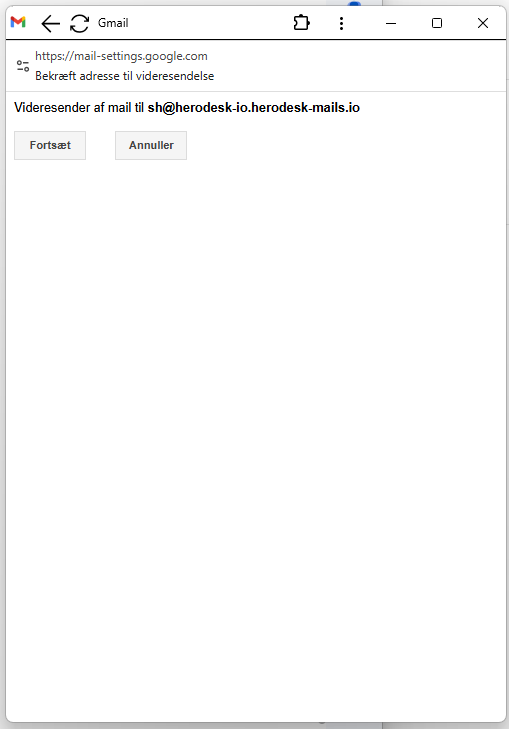
6. Enter the code or open the confirmation email and click the link. Follow the instructions to complete the setup and click Proceed
7. Once you're done, go back to your Gmail inbox and click Refresh
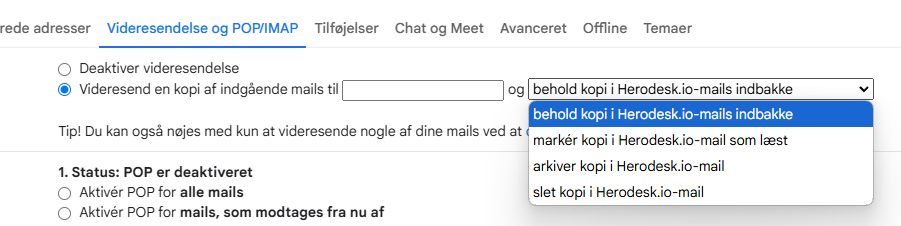
8. Then check the box that says "Forward a copy of incoming mail to". Enter your Herodesk email address ending in -herodesk-mails.io, and choose what should happen to the emails that arrive in your Gmail inbox afterwards
9. Click Save Changes, and your email forwarder is now set up! You're ready to reply to emails directly in Herodesk 🙌