
In Herodesk, you can snooze a conversation if you want to postpone handling it until later.
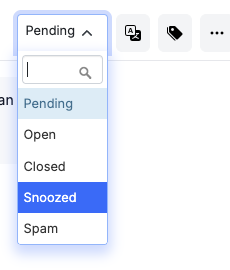
To snooze a conversation, open it and change its status to Snoozed:
Then a pop-up will appear that asks you to choose when the conversation should re-appear:
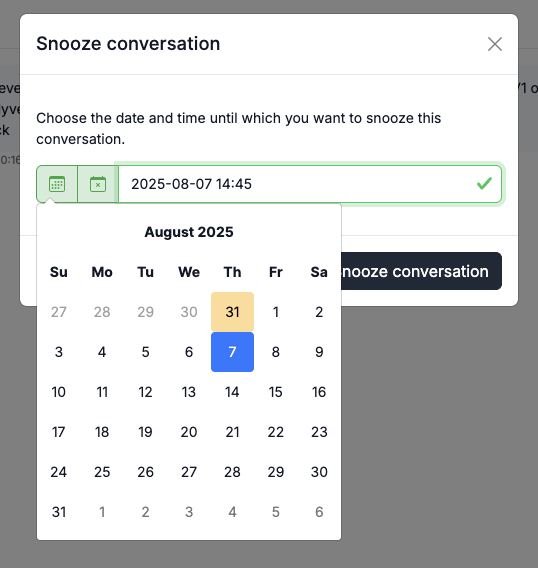
When saved, the conversation will change its status to snoozed and remiain so until the selected time has come. At that time the conversation's status will automatically be changed to "Pending".
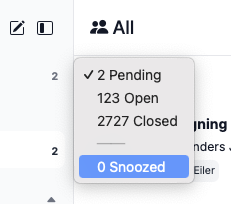
You can see all snoozed conversations by viewing status "Snoozed" in the conversation list:
When you snooze a conversation, it is added to the conversation log.
Reports for snoozed conversations
Four new metrics has been added to the conversation's reports:
- Snoozed conversations. This metric shows how many conversations are snoozed at the end of the selected report period.
- Total new snoozes. How many times has any conversation been snoozed in the selected report period. The same conversation can appear more than once in this metric if it has been snoozed more than once.
- Total unsnoozed. How many times has any conversation been unsnoozed in the selected report period. The same conversation can appear more than once in this metric if it has been snoozed more than once.
- Avg. snooze duration. What's the average duration a conversation has been snoozed in the selected report period. This is the average per conversation. If a conversation has been snoozed more than once, its total time snoozed will be counted as one.
Each metric has a corresponding graph at the bottom of the page.
We have also updated the Effectiveness -> Meadin time to close metric to subtract the time a conversation has spent as "snoozed" from its time to close.