A question that often comes up is which rules are most commonly used among your customers. Rules help streamline your workflows so you can work smarter as a team. Therefore, it varies which challenges and priorities each team has. We encourage you to consider what will benefit your workflow when setting up rules.
Of course, there are some commonly used rules, and you will get an overview of them below.
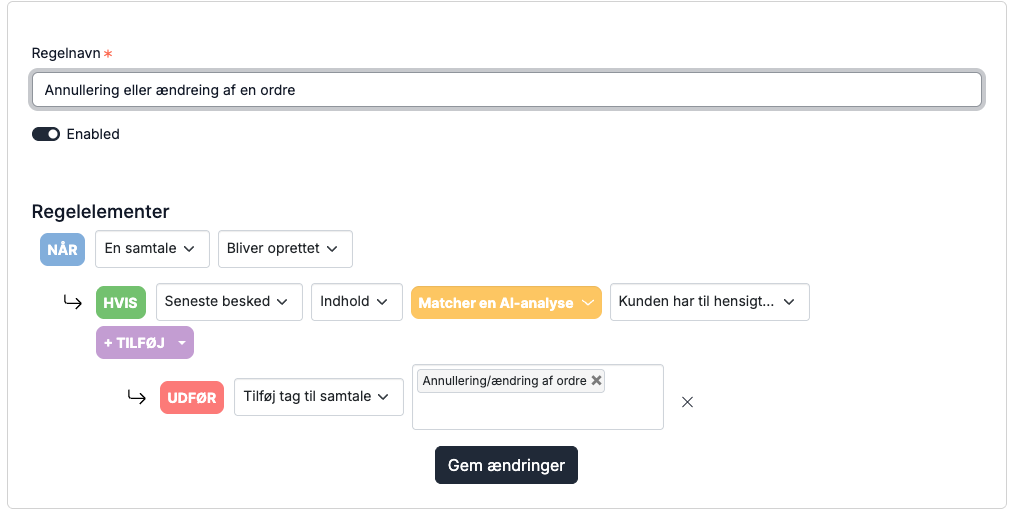
Rule 1a: Cancellation/change of order
In this rule, AI analyzes incoming customer conversations. If a customer intends to cancel or change an order, the conversation is tagged with "cancellation or change of order". You can then create a smart folder that triggers on the tag "cancellation or change of order", so all conversations appear in the smart folder. This allows you to quickly respond to the customer and potentially prevent the order from being shipped.
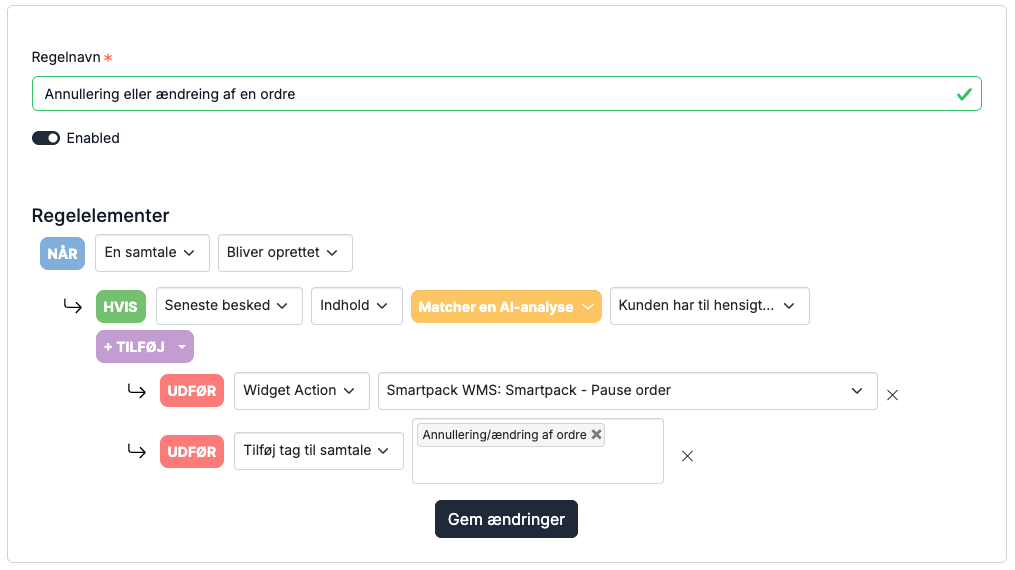
Rule 1b: Cancellation/change of order with connected WMS
If you have connected Smartpack or PeakWMS, you can add an extra step to the rule, enabling it to automatically put the order on hold in the warehouse system.
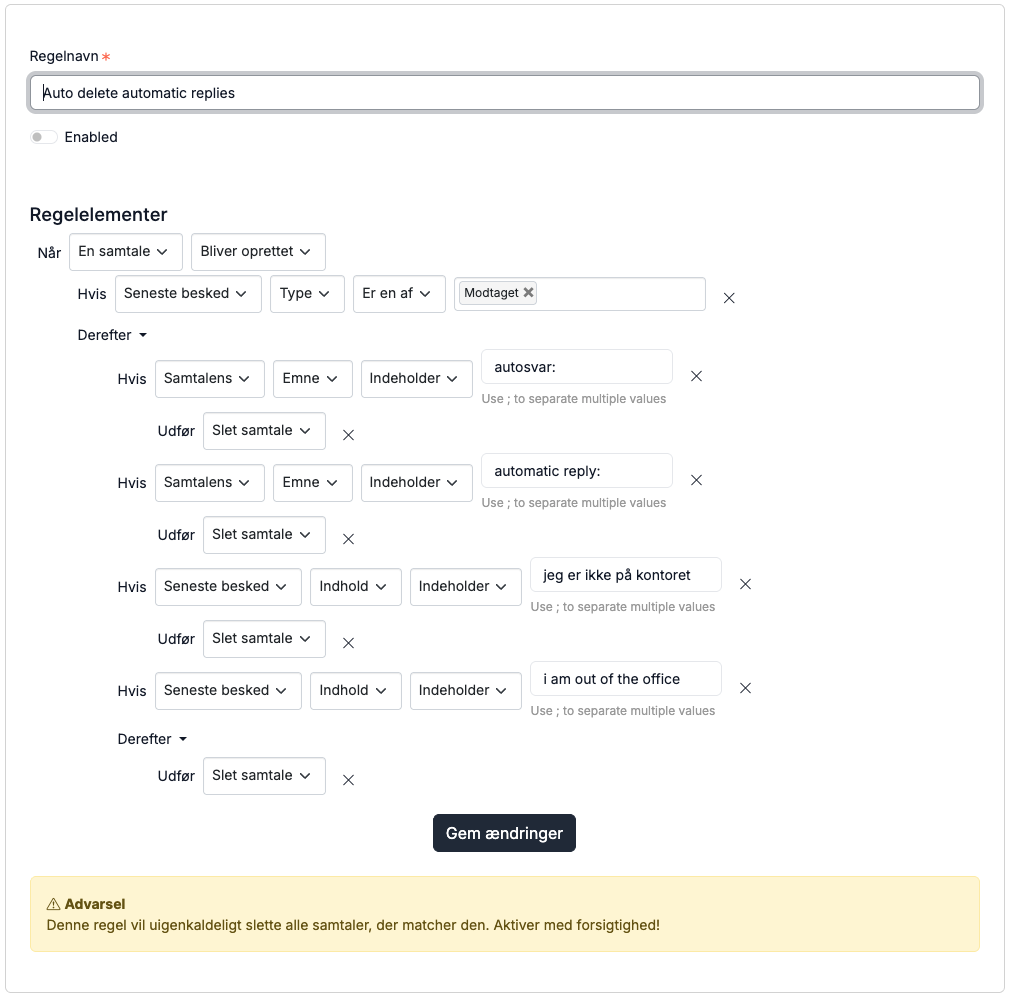
Rule 2: Delete auto-replies
This rule is part of the standard settings in Herodesk and only needs to be enabled. Note: This rule was created in our previous layout. If you delete it and want it recreated, it must be rebuilt using four separate rules.
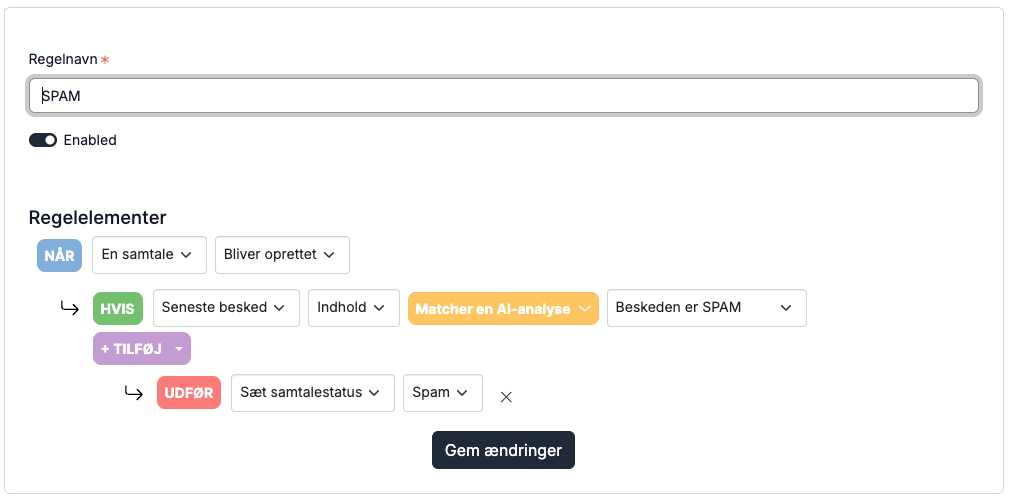
Rule 3: Additional spam filter
Many experience increasing amounts of spam in their inbox despite spam filters, as senders are getting better at avoiding the spam folder.
By setting up the rule below, AI analyzes incoming messages. If it detects spam, the messages are marked as spam and moved to the junk inbox (found at the bottom of the inbox list).
Rule 4: Close order confirmations
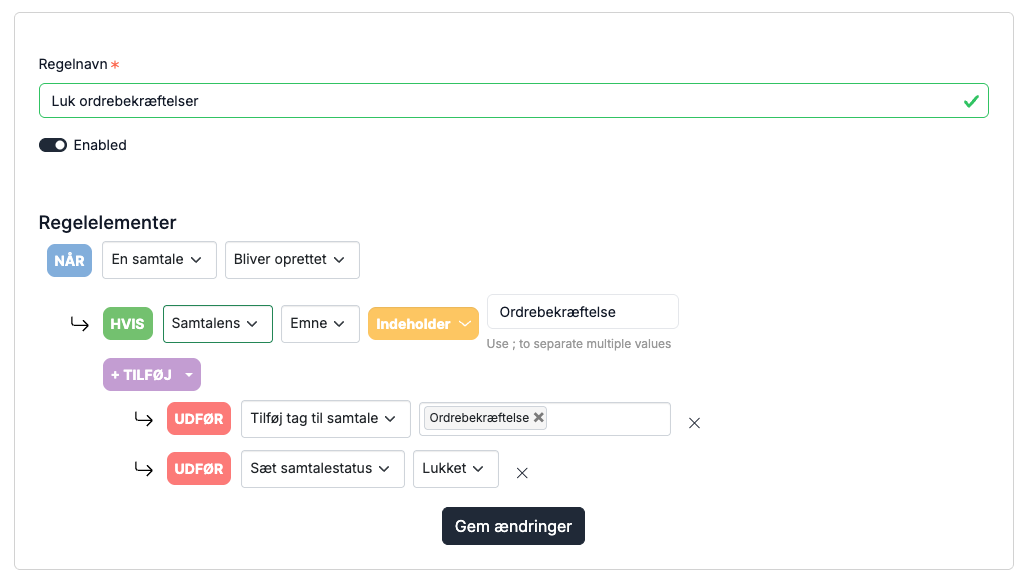
Many receive order confirmations that they do not actively need, but still want stored just in case. Therefore, we created a rule that automatically tags an order confirmation with "order confirmation" and closes the conversation. The conversation is tagged with "order confirmation" because all order confirmations are gathered in a smart folder, making them easy to find.
The rule can be set up in multiple ways. If order confirmations always have the same subject line, you can configure the rule based on the subject. If they always come from the same sender, you can configure it based on the sender. In this example, there are several ways to set it up.
Rule 5: Send a reply to the customer if they ask about something specific
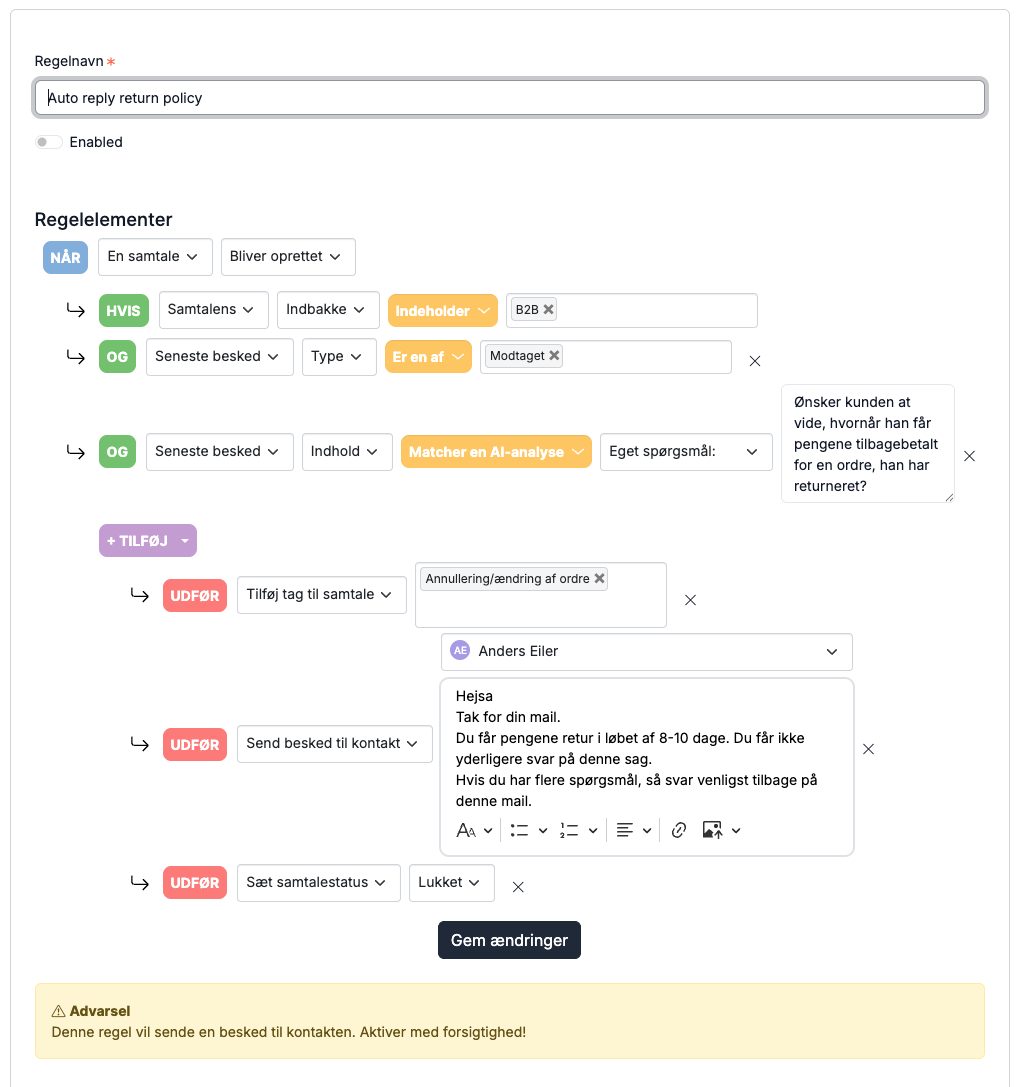
In this rule, we use the AI feature "ask your own question", meaning your automation possibilities are almost unlimited.
The rule analyzes a conversation received in a specific inbox, where the customer asks when they will receive their refund after a return. Since this question always has the same answer, an auto-reply is set up (you insert the reply yourself). Afterward, the conversation is closed and tagged, making it easy to find later and use for statistics.You can do this using the rule below:
Rule 6: Assign ticket to the responder
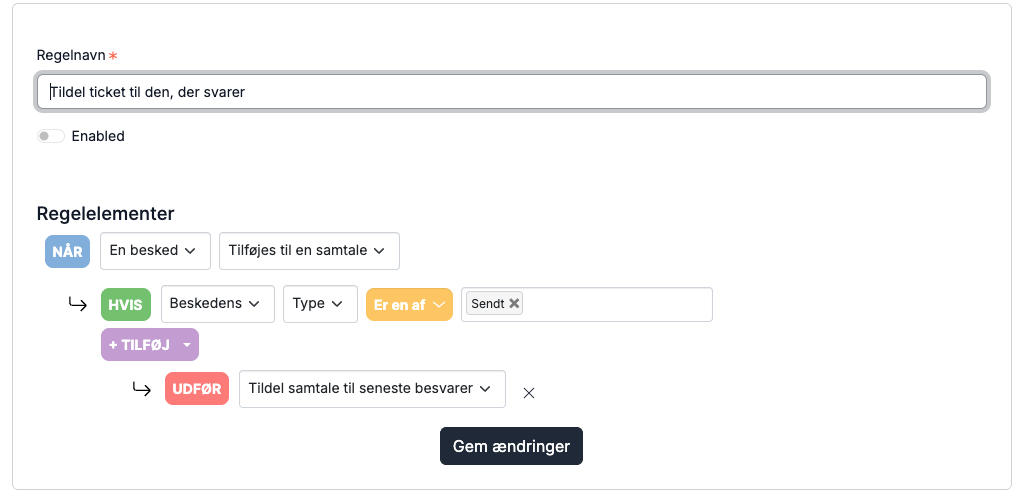
This rule automatically assigns a ticket to the person who replies. When the customer returns, the conversation will appear under "My conversations" for the user who last responded.
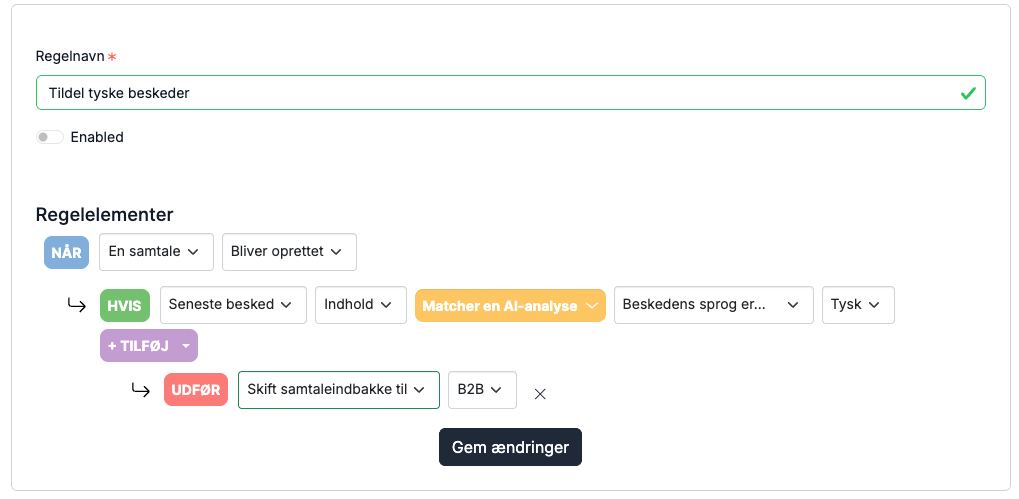
Rule 7: Move email inbox by language
If you have multiple webshops connected to the same email, Herodesk allows you to create multiple inboxes, making it possible to separate Danish and German emails. This enables you to create both a Danish and a German email signature, so when replying to customers, you can include the German information in the German inbox, and likewise for the Danish one.
You can do this using the rule below: