Setting up rules to auto-tag conversations connected to a smart folder can be a big help, as it saves you from manually tagging each conversation.
There are many different combinations you can use when creating rules for auto-tagging. The most commonly used are:
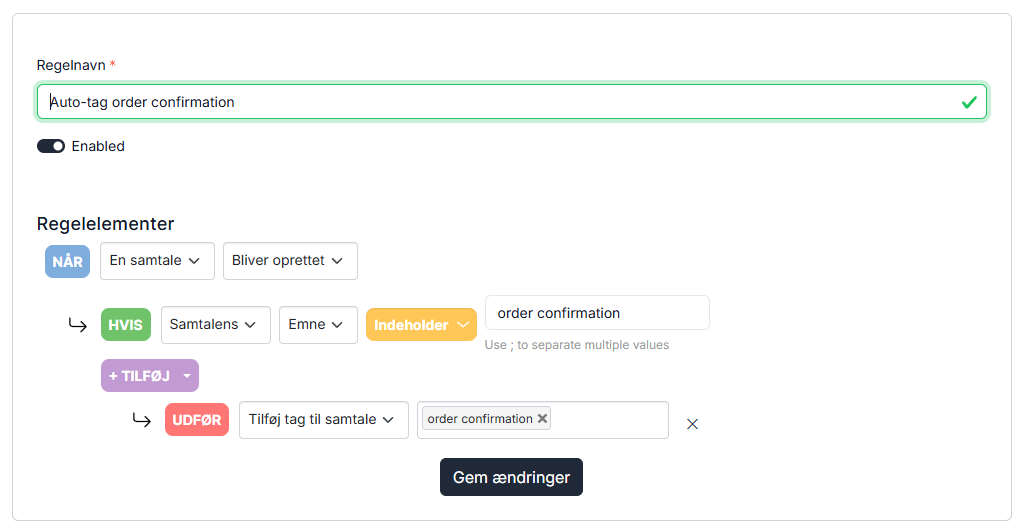
1. If the subject line of a conversation contains xx
2. If the latest message matches an AI analysis
Below is an example of a conversation that gets auto-tagged when the subject contains "order confirmation." When a conversation enters Herodesk with "order confirmation" in the subject line, it is tagged accordingly and immediately appears in the Order Confirmations smart folder.
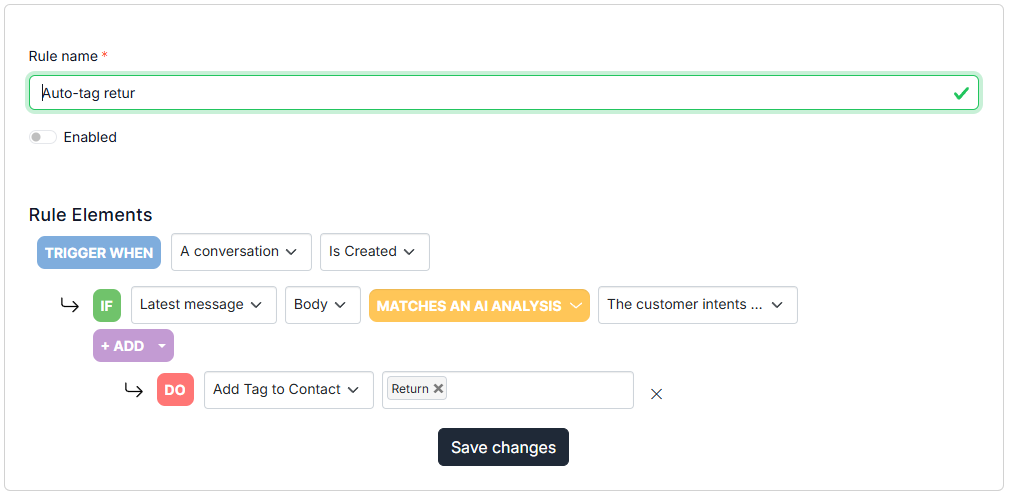
In the example below, the conversation is auto-tagged using AI, which analyzes whether the message content relates to changes or cancellations of an order. If it does, the conversation will be tagged with Return and will then appear in the Return smart folder.