
Bulk actions enable you to update multiple conversations simultaneously with just a few clicks. You can apply bulk actions to as many tickets as you'd like.
To select multiple conversations, hover your mouse over the sender’s initials in the conversation list. You’ll then be able to select the conversations you want to take action on.
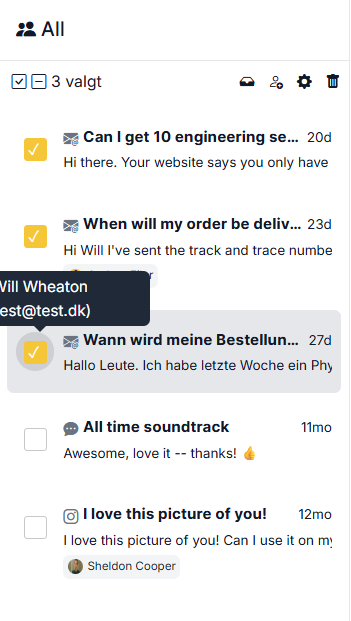
Once you've selected the relevant conversations, you can perform four different actions from the menu at the top:
1. Move them to another inbox by clicking the tray icon
2. Assign the conversations to a colleague or yourself
3. Change the status of the conversations (open, closed, or spam)
4. Delete the conversations*
*Deleted conversations in Herodesk cannot be restored